How to Create a High Converting SaaS Demo Video
Most SaaS demo videos fail for a simple reason.
They show the product, but they do not explain the value.
If you are trying to create a SaaS demo video that actually converts, you need more than a screen recording and a voiceover. You need structure, intent, and clarity.
This step by step guide breaks down how high performing SaaS teams approach developing video demos for SaaS, what tools and decisions matter most, and when it makes sense to move beyond a DIY SaaS demo video maker.
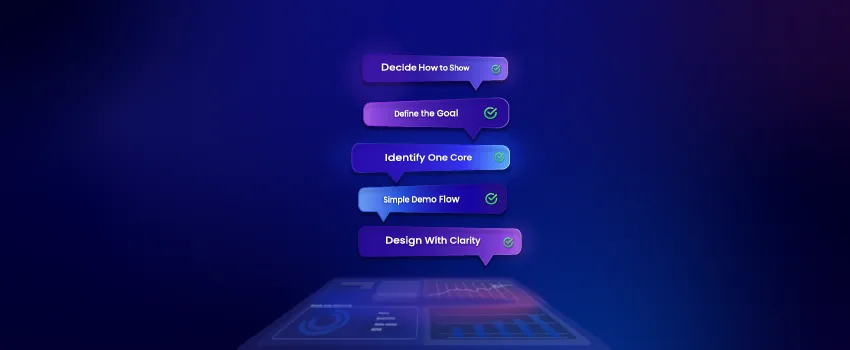
Step 1: Define the Goal of Your SaaS Demo Video
First, before opening any recording tool, get clear on one thing.
What is this demo video meant to do?
Common goals include:
- Increasing sign ups on a landing page
- Supporting sales conversations
- Educating users during onboarding
- Explaining a specific feature or use case
A SaaS demo video should do one primary job. Trying to cover everything is the fastest way to reduce conversion.
Step 2: Identify One Core Use Case for Your SaaS Demo Video
Next,High converting demo videos focus on a single, relevant scenario.
Instead of showing every feature, choose one use case that reflects how your ideal customer will actually use the product.
Ask yourself:
- What problem does this viewer want to solve right now
- What workflow matters most at this stage
- What outcome would make them say this looks useful
This focus is critical when developing video demos for SaaS products with multiple features.
Step 3: Write a Simple Demo Flow, Not a Script
Then,SaaS demo videos should feel natural, not rehearsed.
Rather than writing a rigid script, outline a clear flow:
- Problem context
- Solution overview
- Key action or workflow
- Result or benefit
This keeps the video structured while allowing flexibility during recording or animation.
Step 4: Decide How to Show the Product
There are three common ways to visually present a SaaS demo video:
- Screen recording of the live product
- Enhanced screen captures with visual highlights
- Animated or hybrid UI representations
Early stage teams often use a SaaS demo video maker to create screen based demos quickly. This can work initially, but clarity and polish become increasingly important as the product matures.
Choose the approach that best matches your audience and stage of growth.
Step 5: Record or Design With Clarity in Mind
When recording or designing the demo:
- Remove unnecessary UI clutter
- Zoom into important actions
- Use highlights to guide attention
- Keep pacing calm and intentional
Keep pacing calm and intentional
Step 6: Keep the Video Short and Focused
In fact, most high converting SaaS demo videos fall between 60 and 120 seconds.
If your demo runs longer, it usually means the scope is too broad. Consider breaking longer demos into multiple focused videos instead.
Shorter videos respect the viewer’s time and perform better on landing pages.
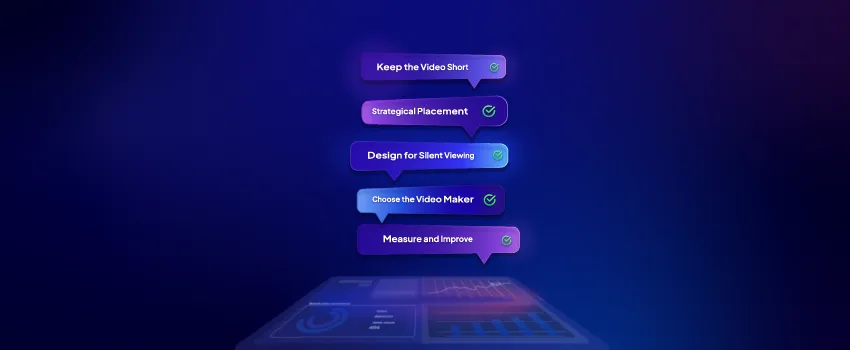
Step 7: Design for Silent Viewing
Additionally, many SaaS demo videos are watched without sound.
Use on screen text, captions, and visual cues to ensure the message is clear even when audio is off. This is especially important for SaaS landing pages and email embeds.
Voiceover should enhance understanding, not carry the entire explanation.
Step 8: Choose the Right SaaS Demo Video Maker Carefully
There are many tools available that promise quick results.
A SaaS demo video maker can help you:
- Test early messaging
- Create internal demos
- Experiment with structure
However, as competition increases, DIY tools often fall short in terms of clarity, differentiation, and brand perception.
Knowing when to move from tools to professional production is part of scaling.
Step 9: Place the Demo Video Strategically
A strong demo video needs the right placement to perform.
High impact placements include:
- Above the fold on product pages
- Near pricing or call to action sections
- Inside sales follow up emails
- Within onboarding flows
Placement is part of conversion optimization, not an afterthought.
Step 10: Measure and Improve
Once your demo video is live, track how it performs.
Key indicators include:
- Engagement and completion rates
- Conversion changes on pages with video
- Sales feedback and objections
Use this data to refine future demos and improve clarity over time.
When to Consider Professional Help
DIY approaches work early on, but there is a point where clarity, polish, and strategy matter more.
If your product is growing and your message is not landing, working with a team experienced in developing video demos for SaaS can significantly improve results.
Final Thoughts
Learning how to create a SaaS demo video is less about tools and more about understanding your audience.
The best demo videos do not try to impress. They try to explain.
If users can clearly see how your product helps them succeed, conversion becomes the natural next step.
Clarity is the real advantage.